One mouse.
Every PC.
Share one mouse and keyboard between your Windows PCs over your own network. Copy and paste across PCs, move files, even show another PC's screen in your meeting.
No credit card · then €12 / month, paid in person
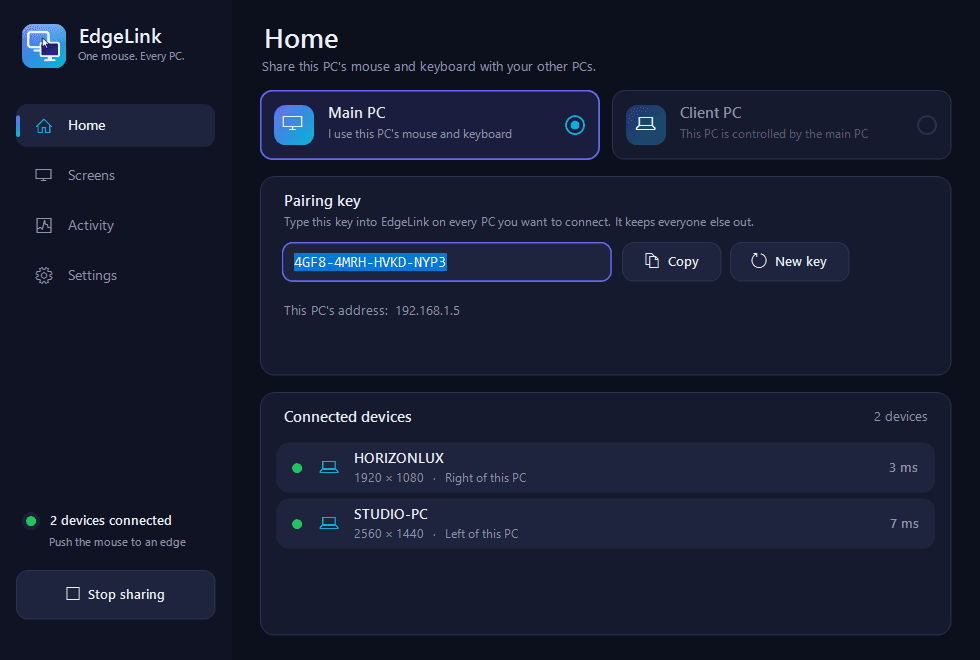
Show any PC in your next meeting
Everything you need, nothing you don't
Built for people who work on more than one computer and are tired of swapping keyboards.
Edge switching
Push the mouse off the edge of your screen and it appears on the next PC. The keyboard follows. No buttons, no lag you can feel.
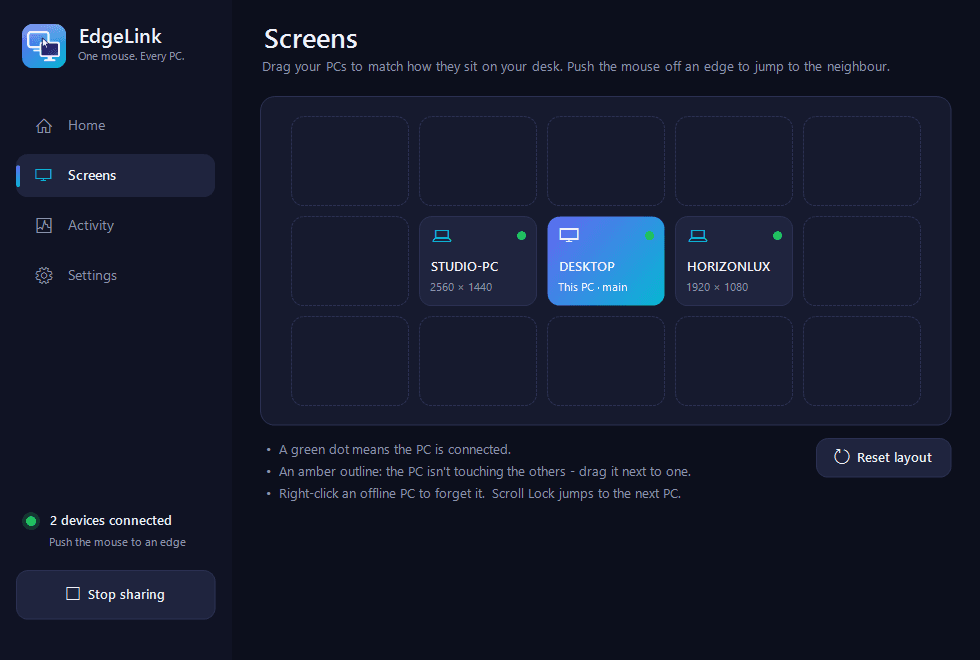
Drag-and-drop layout
Arrange your PCs on a grid exactly like they sit on your desk. Chain three, four or more machines.
Shared clipboard & files
Copy text, images, files or whole folders on one PC and paste on another. Large transfers never slow your mouse.
Screen view for meetings
Show another PC's live screen in a window on your main PC, then share it in Meet, Teams or Zoom.
Encrypted & private
AES-256 encryption with a key only you hold. Everything stays on your own network.
Administrator mode
Control elevated windows too - Task Manager, installers, VPN tools - with one permission at setup.
Arrange your PCs like your desk
Drag the tiles to match reality. Laptop on the right, a second PC above, a third beyond that - chain as many as you like. Move the pointer through any edge and you're there.
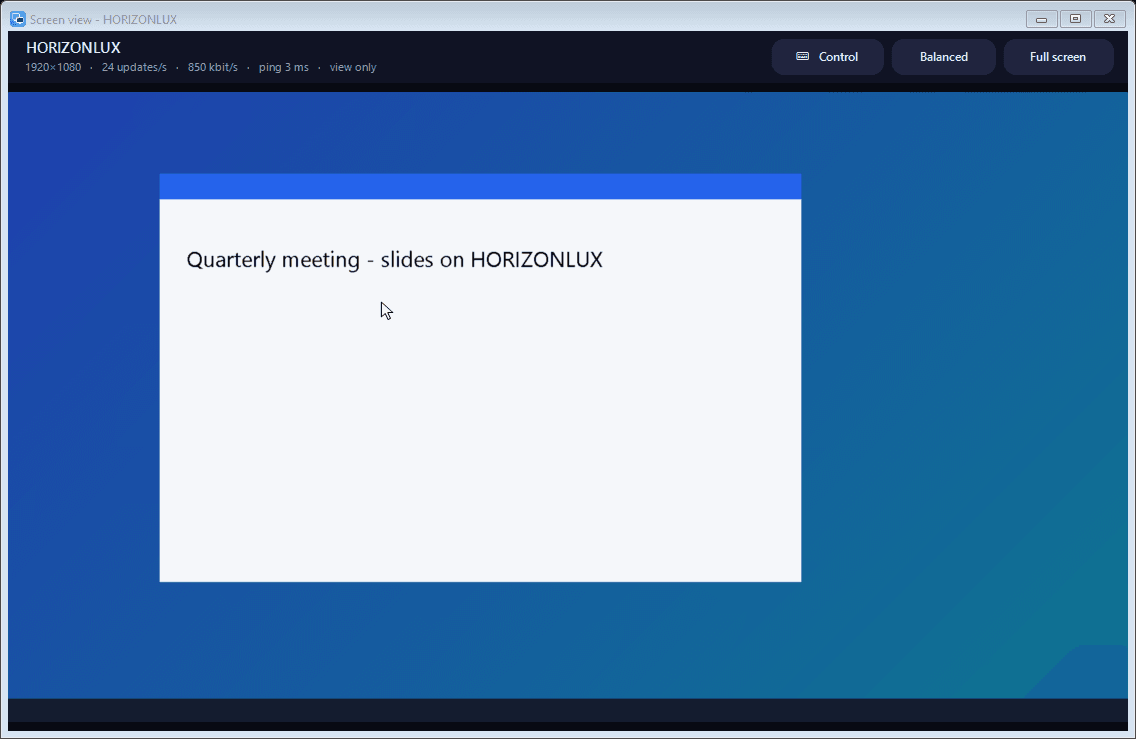
Present from any PC, in any meeting
Open another PC's live screen in a window on your main PC. Put it on your second monitor, share it in Google Meet - everyone sees it, and you keep working on your own screen.
Up and running in minutes
Install on each PC
Run the small installer on every computer. Two minutes, no technical setup.
Pair with one key
Choose Main PC and Client PC, enter the same pairing key. They find each other automatically.
Move the mouse
Drag your screens into place, then just push the pointer past the edge. That's it.
Encrypted end to end
AES-256 + HMAC on every message. Tampering and replays are rejected.
Paired by your key
Only PCs with your pairing key can connect. Wrong key means no connection at all.
Stays on your network
Your keystrokes, clipboard and screens travel directly between your own PCs.
Simple, honest pricing
Try everything free for 7 days. Keep it? It's €12 / month, paid in person - no card, no auto-renewal.
Pay in person each month - no card, no automatic renewal.
- Every feature, nothing locked
- Up to 3 PCs on one license
- Clipboard, files & Screen view
- Free updates while your license is active
- Installer with administrator mode
How to pay
Meet us in person, pay, and your account is activated on the spot. Show us the short code from your account page.
Contact details will appear here.
Questions, answered
Does it work over Wi-Fi?
Yes. Ethernet is the smoothest, but 5 GHz Wi-Fi works well too. Mouse and keyboard use a tiny amount of data and stay responsive.
Is it safe? My keystrokes are crossing the network.
All traffic is encrypted and authenticated with a key derived from your pairing key. Without that key, nobody on your network can read or inject anything.
What happens after the 7 days?
The app pauses until you get a license. It costs €12 per month, and we never charge you automatically: you pay in person (one month, or several at once) and we activate your account right away.
How many PCs can I connect?
One main PC can serve several others at once (3 by default; ask if you need more).
Which systems are supported?
Windows 10 and Windows 11 on all connected PCs.
Can I show the other PC in a video meeting?
Yes. Open Screen view for that PC and share the window or monitor in Google Meet, Teams or Zoom.
Ready to stop swapping keyboards?
Create your free account and download EdgeLink in under a minute.